Gas Well Workshop
Session One Exercise
The goal is to use the state online databases to find information about a particular well
Some people may not be able to physically visit a well site or they live in a county in West Virginia that has very few wells. It’s still possible to study drilling activity using a computer at home or in the library. This type of research is what we do before we visit wells in an area.
This exercise requires the use of an Office of Oil and Gas database, the Office’s map search tool, and the West Virginia Geological and Economic Survey Pipeline database. Links to the databases and map search tool and more detailed information are on this page. Online Databases has screen shots and information about other databases.
If you already have a particular well that interests you, use that rather than the example well given in this exercise.
You’ll be searching for this well knowing only the location:
Longitude: -80 41' 24.623" Latitude: 39 14' 25.851"
You might want to print this page to use as a reference while working on this exercise.
Bonus: Find a copy online of the completion report for this well.
Bonus: Find the well on Google Earth.
Using the Office of Oil and Gas map search tool
The tool is at http://tagis.dep.wv.gov/oog/
Click OK in the box. Select “by well status” and deselect “WV marcellus density” and "horizontal wells" before going to the Zoom to Location tab. (If you already know the API number, use the Attribute Search tab.)
Enter the Longitude and Latitude numbers in the appropriate boxes and click “go”. Note that the longitude figures are entered first, then the latitude. If you subscribe to the Office’s emails for permit notices, the location given for new wells is in UTM. You’ll have to convert using this helpful online conversion tool.
With dialup there’ll be a wait as the information loads on the screen. To see all the wells in the vicinity, you'll want to click on the upper arrow on the zoom tool on the left hand side of the screen. The well searched for by either an attribute search or a zoom to search will be highlighted in green. If you double click on the well, you’ll find some information about it on the Results tab. The Legend tab shows the different types of wells, whether they are horizontal, active, plugged, etc. Clicking on any of these wells will bring up information in the Results tab.
You now should have the well’s API number and also some API numbers for the other types of wells in the vicinity. You’ll also have the operator’s name and when the permit was issued from the Results tab.
Using the Office of Oil and Gas Permit Search database
The database is at https://apps.dep.wv.gov/oog/permitsearch_new.cfm
Enter the well’s API number (county and last 5 digits in separate boxes) and hit "search" button. The resulting page will show all the permit activity for that well. You’ll find when the well drilling started (Permits Commenced) and when the well was completed (Permits Completed). The date of receipt of the Completion Report is also shown. This should be within 6 months of the completion of the well – some operators are extremely slow in filing completion reports.
You’ll now have the date when the well permit was issued and the date of completion (this should also be available on the map search Results Tab).
Using the West Virginia Geological and Economic Survey Pipeline database
The database is at http://www.wvgs.wvnet.edu/oginfo/pipeline/pipeline2.asp
Choose the county (the middle group of digits in a well’s API number) and enter the last four digits of the API number. There are a number of datatypes to select. For this well, select Location, Owner/Completion, Pay/Show/Water, and Production. If a well has been plugged, if you selected Plugging, you’d get information about the date of plugging.
The Location box will provide the UTM location for the well in this exercise.
The Owner box will show the operator’s name, the name of the mineral owner, and the name of the surface owner when the well was drilled.
The Completion box will provide details about the completed (fractured) formation(s), how the well was drilled (rotary for recent wells) and type of completion (this information can vary, the Completion Report gives more information).
The Pay/Show/Water box will show the formations that showed gas and their depth. These can be the producing formations.
The Production boxes will be for Gas and Oil. Most gas wells only show production in the Gas box and no production for Oil. The figures are per thousand cubic feet of gas and will show total annual production and monthly production. Gaps in the dates show that the operator didn’t file a production report for that year.
You should now have the necessary location, producing formations, and annual production figures for the exercise.
The Office of Oil and Gas Search for Oil and Gas Wells database is also useful to check: https://apps.dep.wv.gov/oog/wellsearch_new.cfm
Enter the API number as you did in the Permit Search and you’ll get information about the operator and production. The Office of Oil and Gas database information and that for the West Virginia Geological and Economic Survey database information usually match, but not always. We’ve found one or the other to be in error in some cases. Sometimes it takes going out into the field to really be sure who the operator is, for instance.
2013 Gas Well Workshop
About the Workshop
Session 1
Session 2
Session 3
Materials Used for the Workshop
Reporting Wells
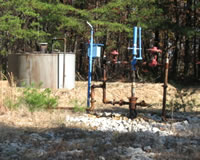
Gas Well Study is the examination of natural gas wells in West Virginia.
Underground Injection Control Class 2 Wells
These wells are used either for the disposal of oil and gas liquid waste or for the enhanced recovery of oil or natural gas.
Gas Well Study Site Visits
Annual reports, environmental assessments, and individual well information.
YouTube Videos
Select videos from the Gas Well Study YouTube channel.
What Happened at Fernow
An investigation into what caused the vegetation death in the land application area after landspraying hydraulic fracture flowback waste.
The Spill at Buckeye Creek
An investigation into a spill from a Marcellus well site into Buckeye Creek in Doddridge county.